
Project File / Community directory review completed · v1.8.3
Japanese Reading Assistant: Keeping lookup, grammar, and optional PDF OCR in the reading flow
An Obsidian plugin that turns selected Japanese into one shared translation, vocabulary and grammar views. Text selection works after model setup; PDF OCR is optional, and results can be saved as daily Vault notes.
- Obsidian
- Japanese learning
- OCR
- Ollama
- DeepSeek
The most disruptive part of Japanese reading is often not one unknown word. It is moving back and forth between a dictionary, translation, grammar notes, and the original line. This plugin keeps those actions on the current Obsidian page: a short selection opens a compact lookup, while a sentence is sent to the model once and becomes linked vocabulary and grammar views.
The repository is public: Normanchine/obsidian-japanese-reading-assistant. Its Community directory review has completed for v1.8.3, although client-side catalog indexing can lag behind a GitHub Release. It can also be installed manually from GitHub Releases or through BRAT as a beta plugin.
The primary path is now deliberately simple: configure local Ollama or a cloud OpenAI-compatible API, then select text in Markdown, Live Preview, or Reading view. OCR is not a prerequisite; it is configured only for image regions selected in PDFs.
One analysis, anchored to one sentence
The aim is not a long generic explanation. A sentence retains one shared translation; the vocabulary view separates dictionary meaning from the meaning in this sentence, and the grammar view connects colored, wavy source fragments to short notes. That keeps an explanation from becoming detached from the text it is meant to explain.
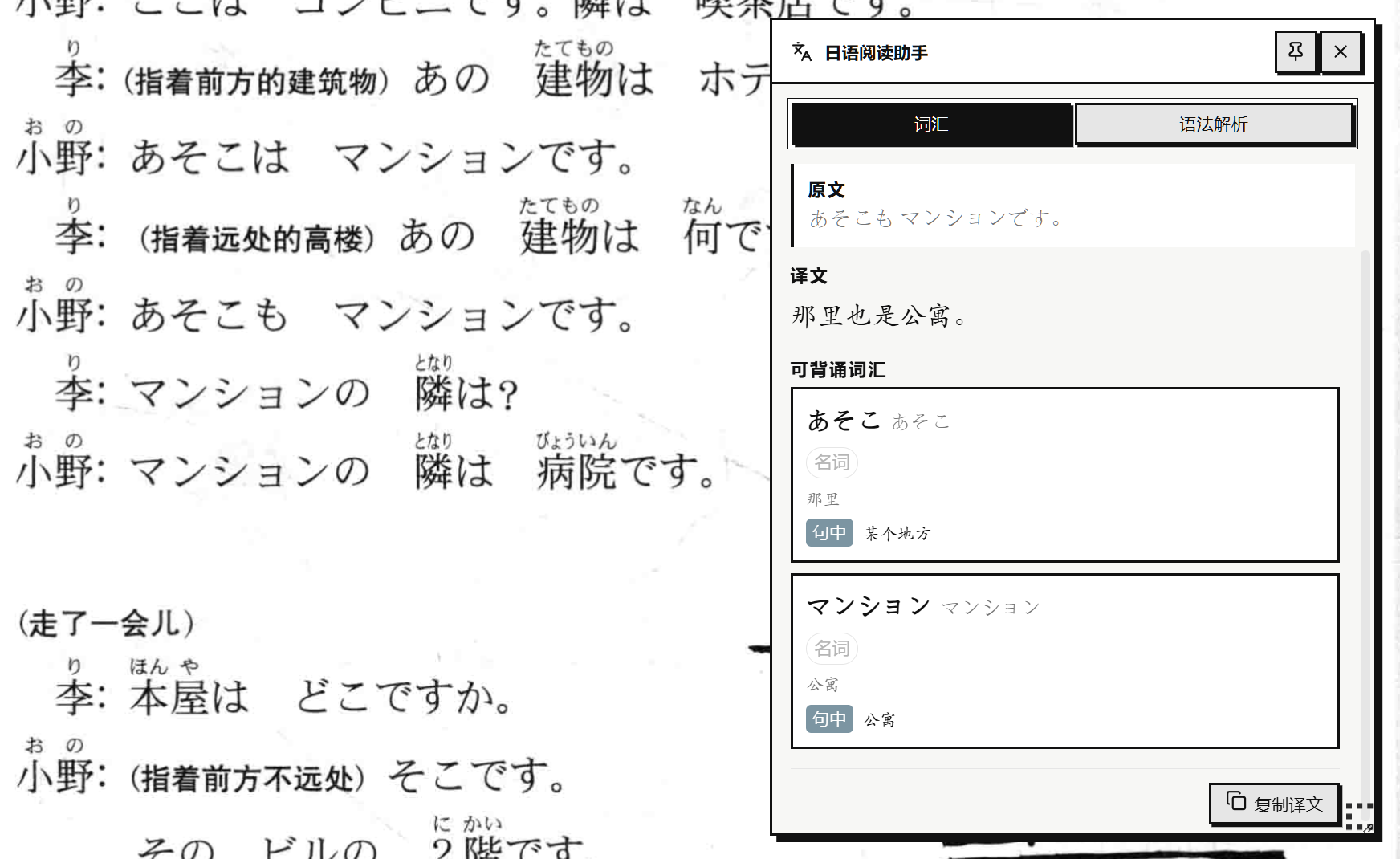
The vocabulary view starts from the current sentence. “In sentence” describes the word’s role here rather than creating a new dictionary entry.
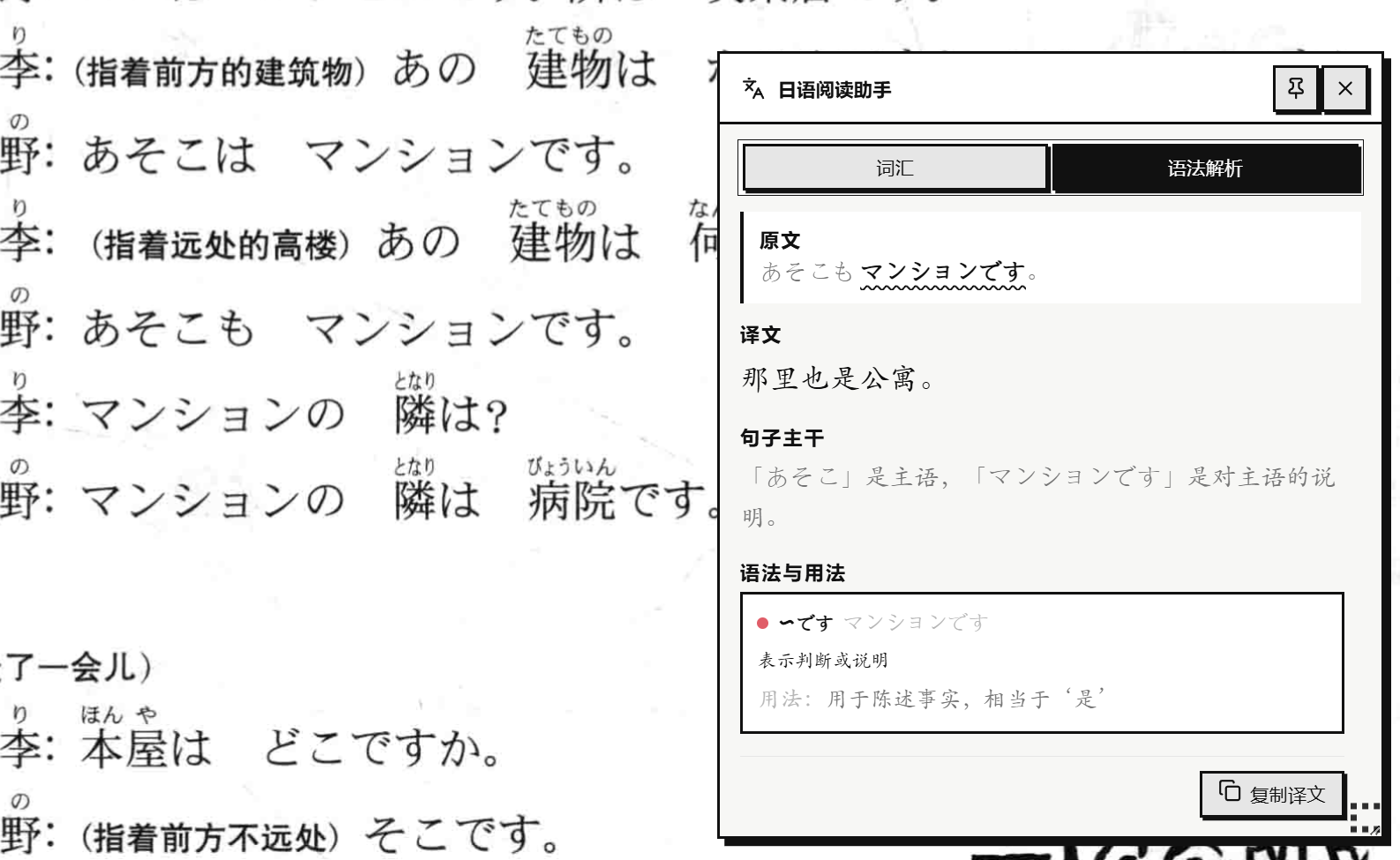
The grammar view marks 「〜です」 in the sentence and explains its judgment or explanatory role here. Results appear in a non-modal window that can be pinned, moved, and resized without replacing the source text.
Keeping the useful parts
Immediate analysis does not need to become another task system. Save to study note writes only the currently displayed source text, shared translation, small vocabulary list, and grammar points into a chosen Vault Markdown file. Multiple records from the same day share one date heading, without minute-level timestamps.
This makes saving a lightweight reading note rather than automatic collection of every selection. Without an explicit save, results still remain only in memory.
PDF text without leaving Obsidian
Textbooks and scanned readers do not always provide selectable text. In Obsidian’s built-in PDF viewer, holding Alt and drawing a small region sends it to the OCR engine selected by the user. The recognized text then follows the same translation, vocabulary, and grammar path as a normal sentence.
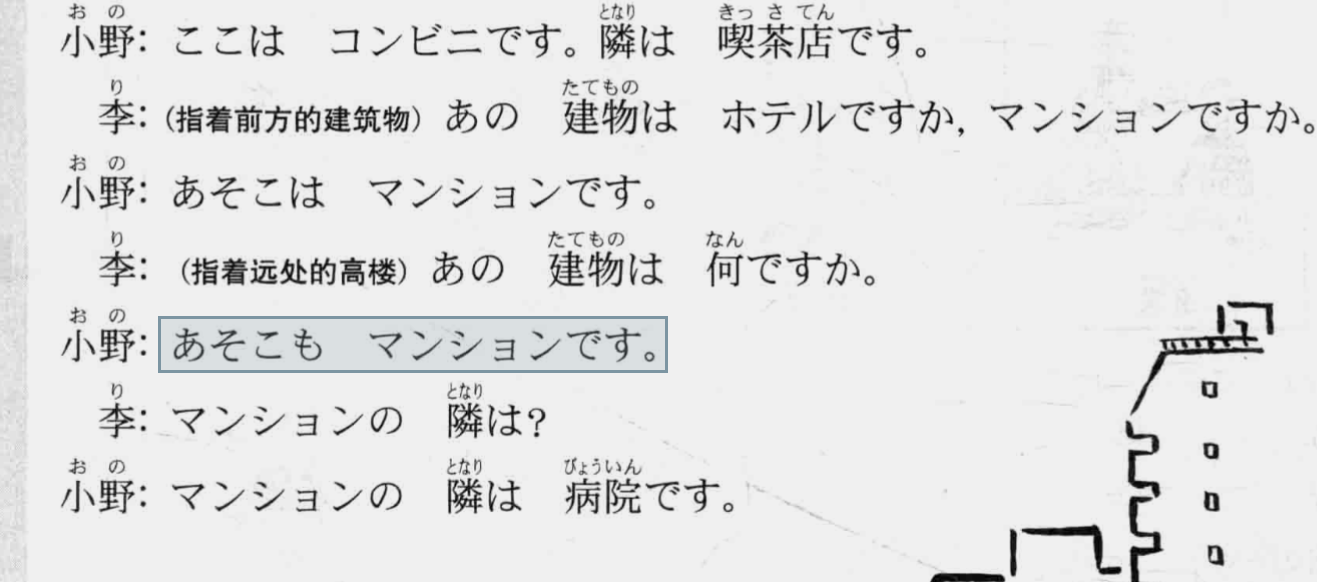
OCR receives only the region the reader draws, rather than the entire PDF. Results depend on the source image and page scale; zooming in is safer for small print.
The feature deliberately stays narrow. It does not turn a PDF into a complete ebook. Users can choose local CPU PP-OCRv5 or an installed Ollama vision model; the settings page provides the companion repository address and one explicit installation command for PP-OCR. The plugin does not download or install dependencies when Obsidian starts.
Models, data, and installation boundaries
Text analysis can use local Ollama or a user-configured OpenAI-compatible cloud endpoint; the defaults fit DeepSeek. Their boundaries differ: Ollama may run on the device or at a trusted LAN address, while cloud mode sends the current selection and a fixed analysis prompt to the configured API. The plugin does not upload whole notes, filenames, Vault paths, or nearby notes, and has no telemetry. PDF OCR receives only the explicitly drawn region, and the image is not written to the Vault.
Installation requires Obsidian 1.11.5 or later and one configured text-analysis provider. Only PP-OCRv5 users need Python 3.11 and a local service; users with an installed Ollama vision model do not. The README documents manual installation, BRAT, and both OCR paths.
What remains unproven
Users can explicitly save displayed results as date-grouped Markdown records, but vocabulary cards and spaced-repetition export are not built-in features. PDF OCR targets the visible page of Obsidian’s built-in PDF view; it is not a general recognizer for EPUB, Canvas, or third-party readers. Output quality also depends on whether the chosen model reliably follows the structured JSON format.
The plugin is therefore a focused assistant for the moment of reading, not a complete Japanese course or memorization system. A useful next test is whether review cards truly reduce the post-reading organization cost before adding them.