
Project File / Public source · Windows release v0.2.0
Jujian Language Studio: listening, reading, and writing in one workspace
A practical account of sentence replay, reading imported articles, and reusing writing notes, with screenshots and clear validation limits.
- Python
- PySide6
- Whisper
- Language learning
- Desktop app
When studying a passage, I often move between three actions: replaying one sentence, understanding its words, and trying to use them in my own writing. Jujian Language Studio is a Windows desktop tool built around that workflow for Japanese and English. The GitHub repository provides cloneable source and setup instructions. It does not include personal study data, model weights, or a downloadable EXE.
I defined the learning needs, made layout decisions, and checked the interactions against actual study material. AI assisted the implementation and iteration. The screenshots below come from the real app with authored or isolated demonstration content; they do not measure model output quality.
Listen with the video and nearby sentences in view
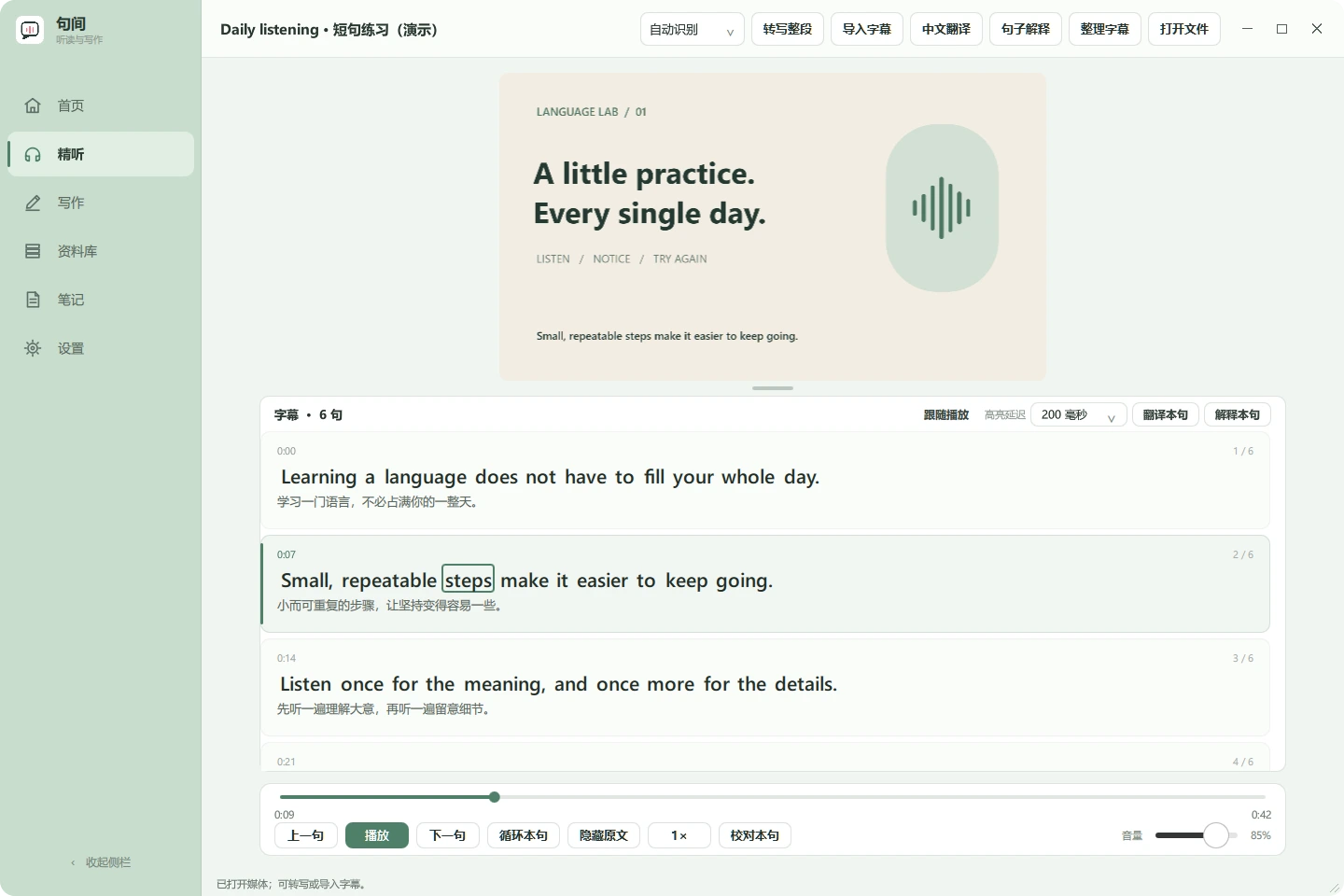
The listening view keeps the video’s aspect ratio and places continuous, one-sentence subtitle cards underneath it. Playback follows the active sentence; manual scrolling pauses that follow behavior so I can read the surrounding lines. Shortcuts cover previous and next sentence, pause, loop, and immediate replay. A configurable highlight delay helps align word outlines with what I hear.
Whisper transcribes audio locally. For long English segments, the app uses existing word timestamps, pauses, and punctuation to propose shorter practice units. Local-model boundary suggestions are checked for coverage and length, while manually corrected text is protected. One roughly seven-minute recording changed from 38 segments to 74 units. That is one local example, not a recognition benchmark or evidence of learning outcomes.
Read articles I bring into the app
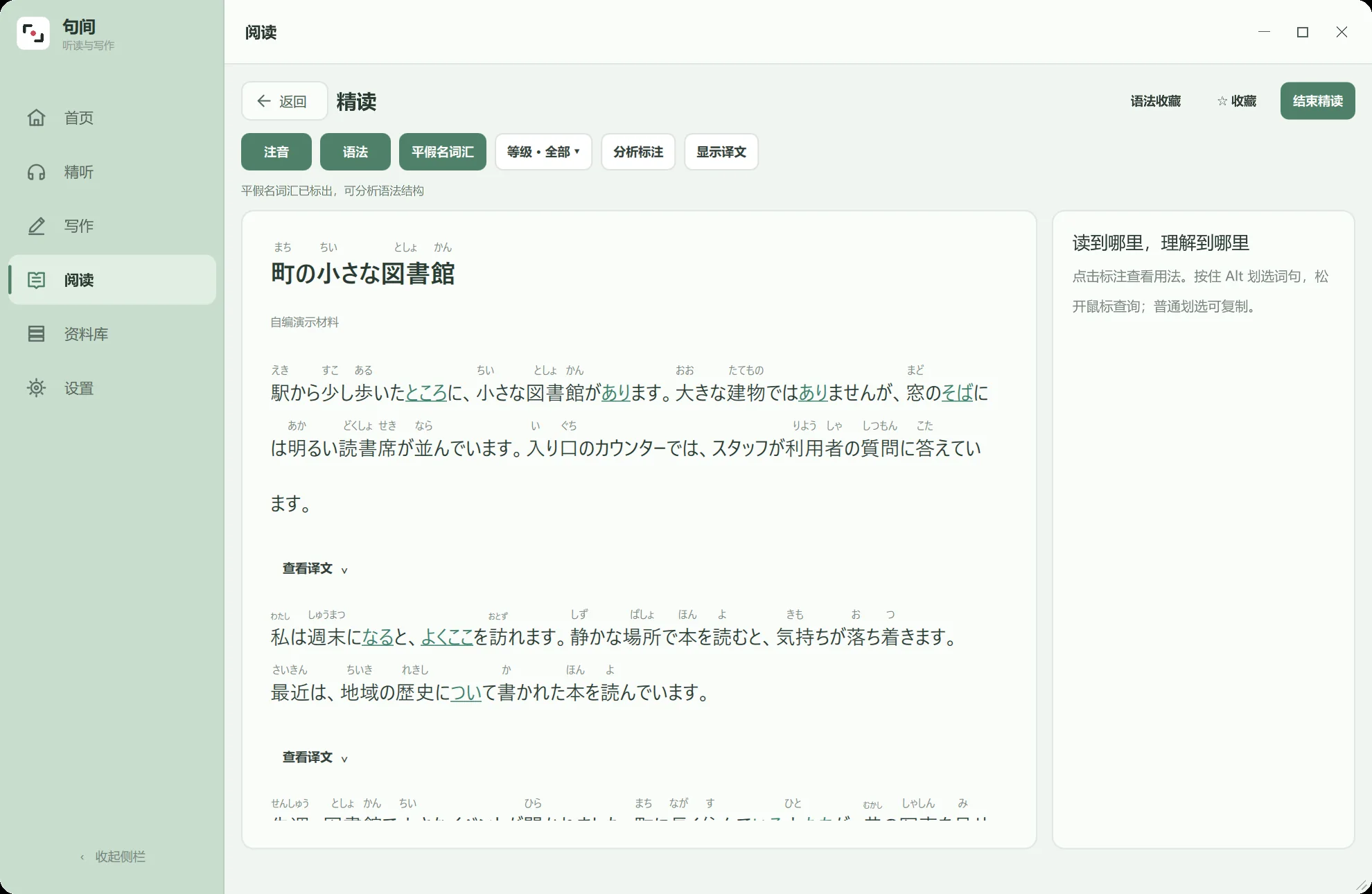
Reading supports Japanese and English articles. Japanese reading can show furigana and word or sentence explanations; English reading supports click-to-look-up words and saving vocabulary or source sentences. I can paste a separate title and body or import a TXT or Markdown file. A formatting preview comes before saving. Optional AI paragraph cleanup adjusts line breaks; it may leave an already well-formatted article unchanged, and its result still needs review.
Personal articles can be organized in custom folders, searched, moved, and deleted from “My Articles.” The compact source directory remains available for quick navigation. The screenshot uses an independently written sample article, not personal material. Articles and reading progress stay on the device; URL-based article fetching and cross-device sync are not available.
Keep drafts and expression notes together
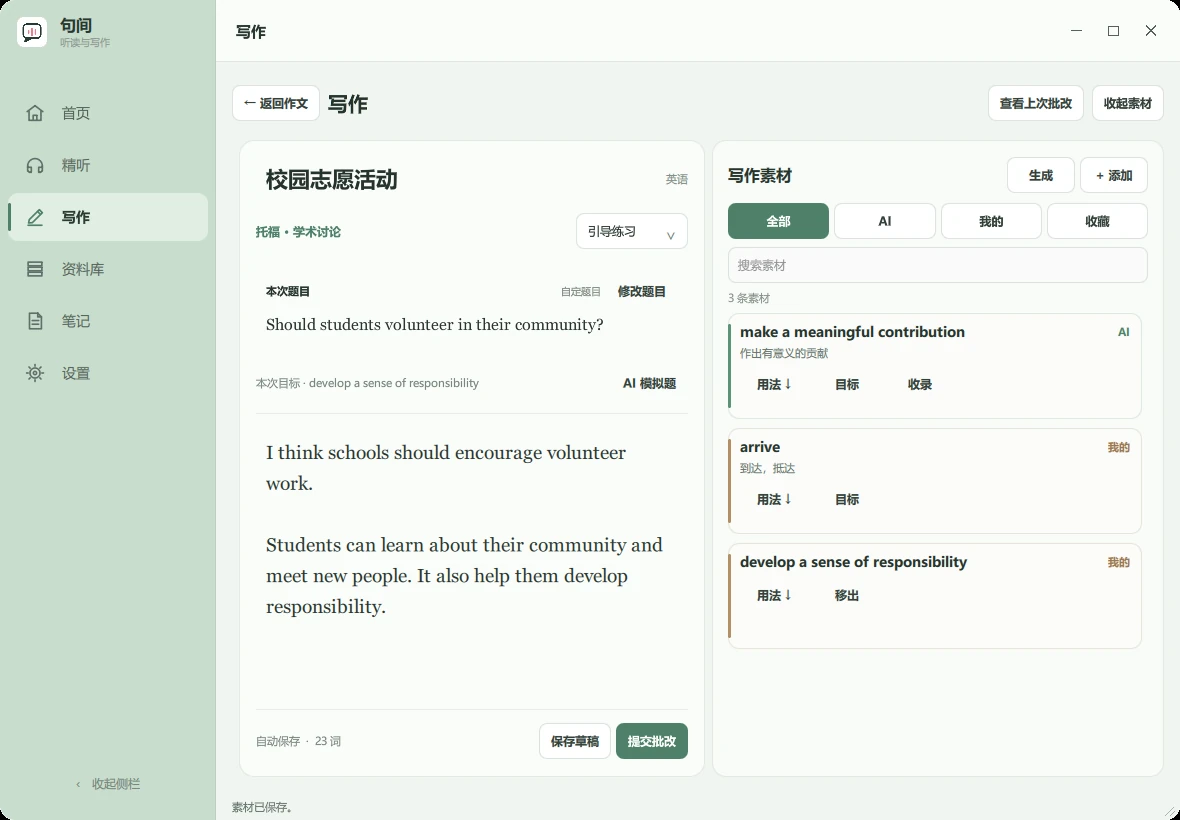
The writing view holds Japanese and English drafts, prompts, expression notes, and an entry point for model feedback. The English editor uses a serif font and generous spacing; TOEFL email and academic-discussion practice prompts appear as readable task sheets. Expression notes belong to the current draft unless I explicitly favorite them for reuse. Model suggestions require checking and are neither an official vocabulary list nor a score guarantee. The prompt and draft in the screenshot are isolated examples.
Setup and what has been verified
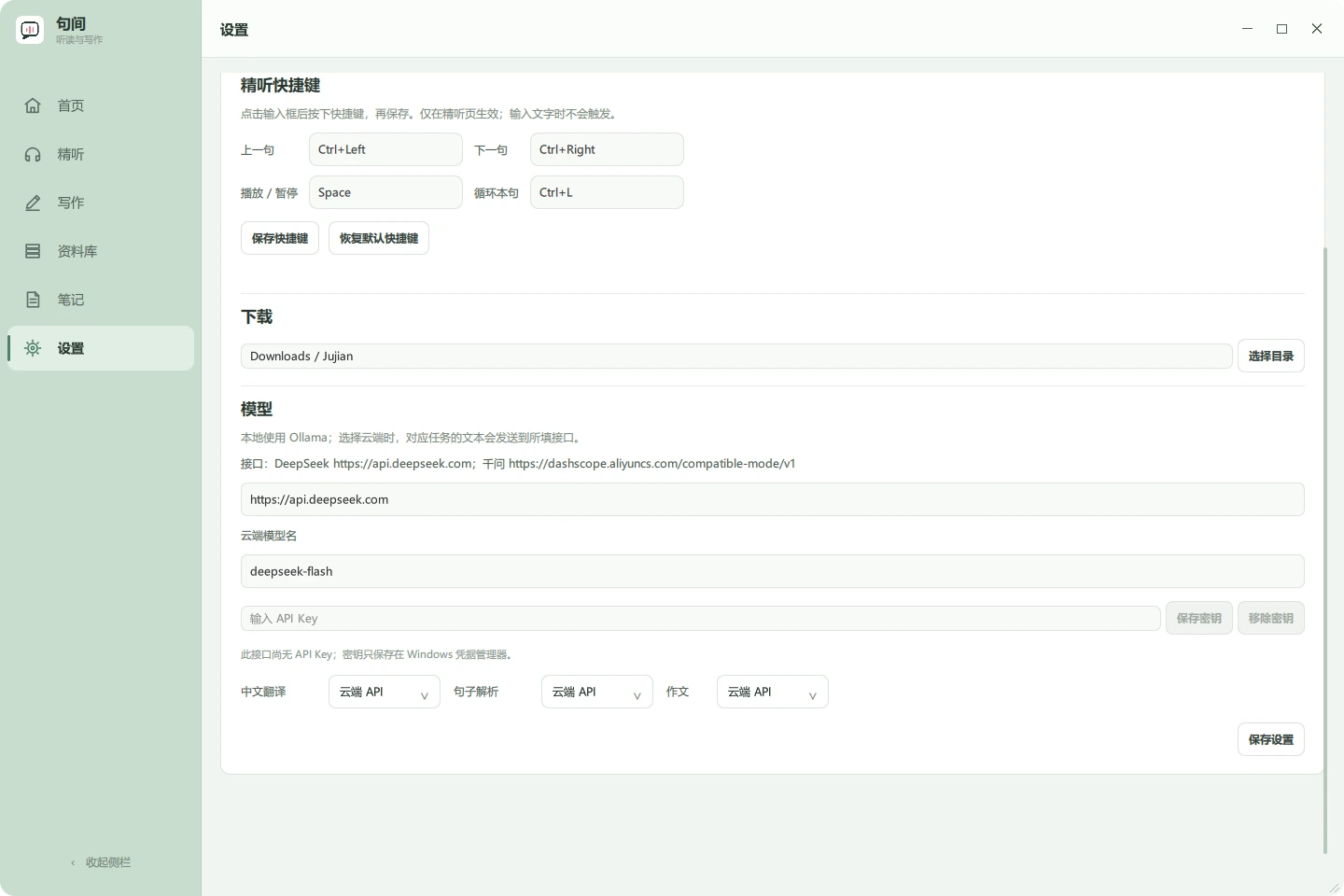
The source setup uses 64-bit Python 3.11 on Windows: run setup.ps1, then run.cmd, following the repository README. Translation, explanations, and writing may use separate cloud-compatible endpoints or local Ollama. Cloud API keys are entered in Settings and stored in Windows Credential Manager. Local Whisper transcription is independent of the chat API configuration.
The installed formal release is v0.2.0. The public source also contains later folder-management and import-flow changes plus a new icon. Those changes have passed focused source-preview checks but have not been rebuilt into the formal EXE. The earlier directory package passed its release checks; the new reading image comes from an isolated source preview. Model explanations, translations, writing feedback, and media timestamps can still be wrong and need comparison with the source text or audio.
Source and setup guide · Related project: Japanese Reading Assistant